

An AI assistant can help you write a project plan. An AI agent may be able to take that plan and carry out several steps toward completing it. The difference sounds small until you think about what happens when software starts acting, not just answering.
For startup founders, understanding AI agents vs AI assistants is becoming a practical business question. The labels are not always used consistently, and products often combine both styles. Still, the distinction helps you decide which tasks to automate, where human approval is necessary and what risks to manage.
What is an AI assistant?
An AI assistant mainly helps a person complete a task through conversation or direct requests. You ask it to draft an email, explain a report, brainstorm positioning or summarize a document. It produces an answer, and you decide what to do next.
Assistants can be powerful and may connect to files, apps or tools. The key point is that the person typically guides the interaction and decides when the work is finished. Examples include using ChatGPT or Claude to think through a decision or using an AI feature inside a document or meeting platform.
An assistant is often a good fit when the work needs human judgment, the instructions change frequently or the output needs close review.
What is an AI agent?
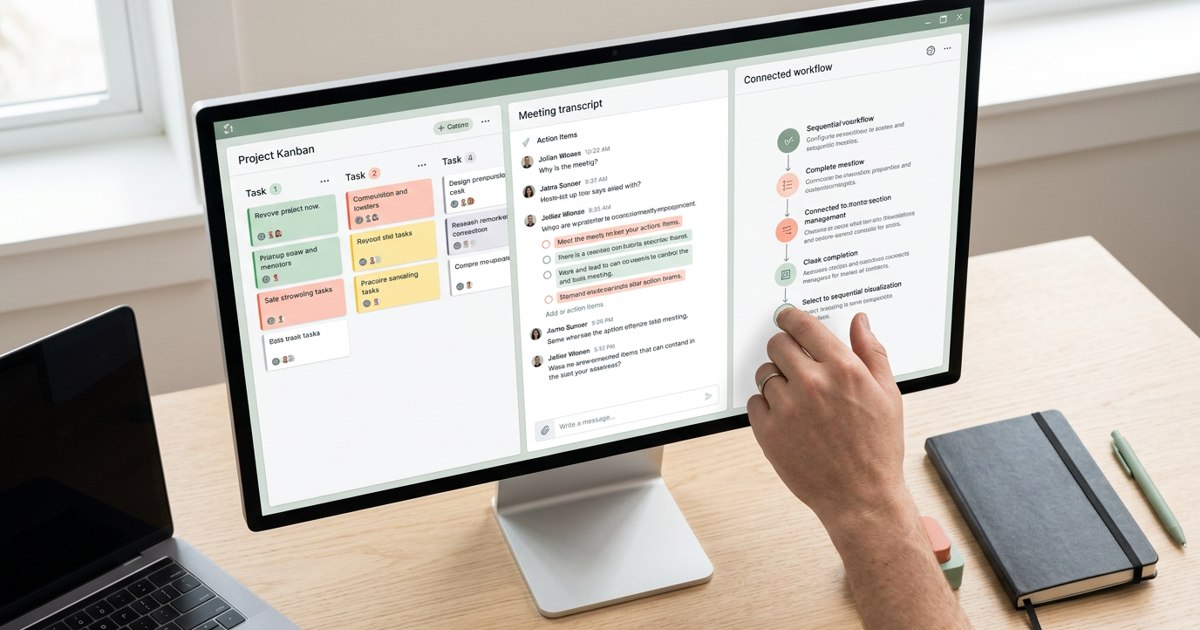
An AI agent is designed to pursue a goal by taking steps and using tools within a defined environment. It may plan a sequence, take an action, inspect the result and decide what to do next. Depending on its permissions, it might search information, update a record, create tasks or move work between applications.
That ability to act is what makes agents interesting. Instead of asking a person to prompt the system at every step, you give it a goal and boundaries. Agent capabilities vary widely, however. Some agents follow narrow workflows while others have more flexibility. The word “agent” does not guarantee reliable autonomy.
A practical example
Imagine a founder wants a weekly customer feedback report.
An assistant could summarize a spreadsheet or a set of customer interviews when asked. The founder checks the output, requests changes and shares it.
An agent-based workflow might retrieve new feedback from approved sources, group recurring themes, draft the report and place it in a shared workspace. It might then notify the responsible team. A person still reviews the findings before a major product decision is made.
The distinction is not that assistants are simple and agents are always smart. It is that agents can be configured to take a series of actions toward a goal rather than stopping after producing a response.
When should a startup use an assistant?
Choose an assistant when the task is exploratory, creative or judgement-heavy. Examples include drafting a sales message, comparing positioning options, reviewing a proposal or preparing questions for a customer interview.
Assistants are also a sensible starting point when the process is not yet stable. If your team cannot explain the steps of a task, automating it end to end may simply reproduce the confusion faster.
When should a startup use an agent?
Agents are worth evaluating when the workflow is repeated, the desired outcome is clear and the required actions can be bounded. Examples might include categorizing support requests, preparing a draft weekly report, checking whether required fields are missing or creating a task when an approved event occurs.
Start with low-risk tasks. Let the agent prepare or recommend actions before allowing it to send messages, change important records or spend money. Expand permissions only after measuring its performance.
The risks are different too
An assistant can give a wrong answer. An agent can give a wrong answer and then act on it. That additional ability raises the stakes.
An agent might misunderstand an instruction, rely on incomplete information or be manipulated by malicious content in a document or webpage. It might repeat an action, expose information or make a change that is difficult to reverse. Human oversight, access controls, activity logs and limits on what the agent can do are therefore essential.
Do not grant an agent administrator access simply because it makes setup easier. Give it the minimum permissions required. Require approval for consequential actions and create a clear way to stop the workflow.
A comparison for founders
Primary role: An assistant helps a person perform work. An agent can carry out a sequence of actions toward a goal.
Typical interaction: An assistant responds to requests. An agent may continue through a defined workflow with less step-by-step prompting.
Best starting use: Writing, analysis, brainstorming and decision support for assistants. Repetitive multi-step workflows for agents.
Main risk: Incorrect or misleading output. Incorrect output combined with unintended actions.
Human role: Direct, review and decide. Define the goal and boundaries, monitor results and approve higher- risk actions.
These are useful tendencies, not strict technical categories. A product may have both assistant and agent features.
How to choose your first use case
Score a candidate workflow from one to five on repeat frequency, clarity of rules, cost of manual effort and ease of checking the result. Then assess the risk if the system makes a mistake. A highly repetitive task with clear rules and easy verification is a stronger starting point than a complex customer or financial decision.
Document the workflow, test it on real examples and compare the result with a human baseline. Track not only time saved but also errors, rework and the effort needed to supervise it.
The smartest approach is not to make every workflow autonomous. It is to give each task the right level of independence. Use assistants where people need thinking support and agents where a stable process can safely benefit from action. The aim is reliable work, not autonomy for its own sake.
A useful rule for tool selection
Do not choose software based only on a feature checklist. Ask three people who will use it to test the same real task in the candidate tools. Compare how many steps it takes, whether the result is easy to find later and how much setup or maintenance is required.
Also calculate the cost of switching. Moving a team to a new platform can mean migrating data, retraining people and changing established habits. Sometimes improving the way an existing tool is used is the better choice. A productivity stack should be evaluated as a system, not as a collection of isolated product reviews.
Sources & further reading
Product features, supported sources and access vary by plan and configuration. Meeting recap can require transcription and specific licenses. Check current official documentation before choosing a tool.